Your AIsa balance, in the menu bar.
AIsa Usage is a free macOS app that shows what you have left and what you spent in the last 30 days. It syncs every 15 minutes and updates itself.

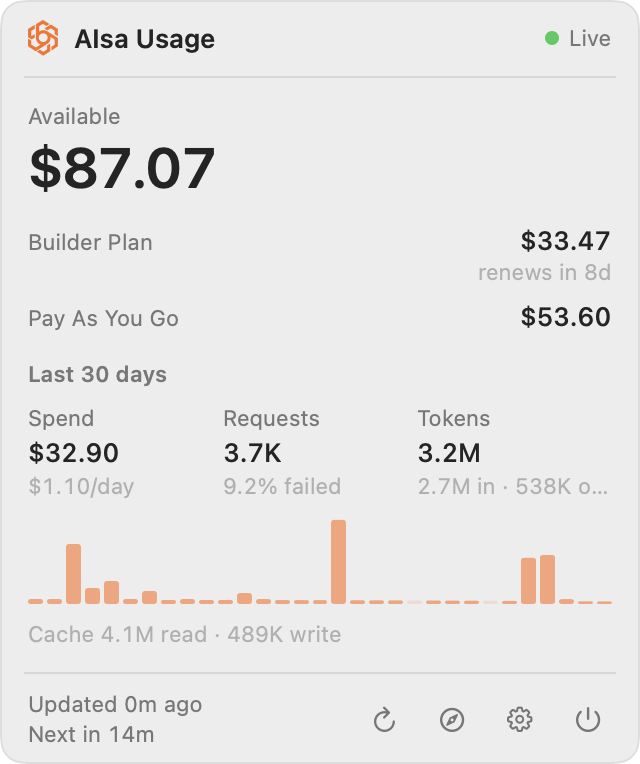
Sign in once. See the whole account.
The app signs in with your AIsa account rather than an API key, so usage covers every key on the account. It looks in two places, in this order.
Sign in with your browser
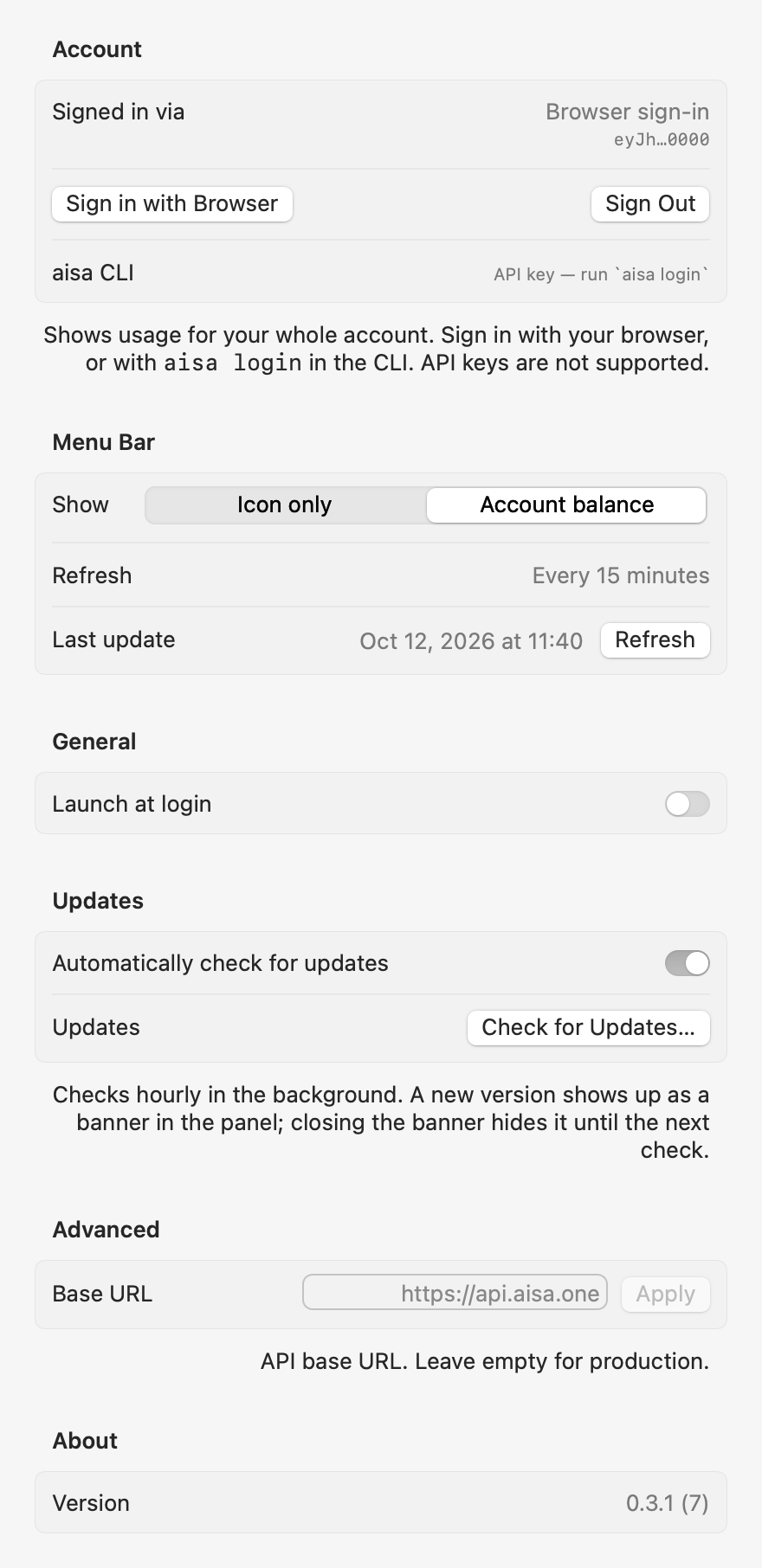
Settings → Sign in with Browser opens aisa.one, and you are back in a few seconds. The session is stored in your login Keychain and refreshes itself.
The aisa CLI session
Already ran aisa login? Nothing to do. The app picks up the session from ~/.aisa and refreshes it when it expires.
Running in about a minute.
Open the DMG, drag to Applications
The app is signed with a Developer ID and notarized, so macOS opens it without a warning.
Sign in, or skip this
Settings opens on first launch when you are not signed in. With aisa login already done, it just starts.
Leave it in the menu bar
Balance next to the AIsa mark, orange under $5, red at zero. Click for the panel, ⌘R to refresh now, right-click for the menu.
Common questions.
How do updates work?
Will macOS warn me when I open it?
What does it send, and where?
api.aisa.one for your balance and usage, to clerk.aisa.one to sign in and refresh the session, and to aisa.one for update checks. Tokens are never logged. The on-disk cache holds balances and totals only.